 40416fccc9
|
||
|---|---|---|
| .. | ||
| ChangeLog | ||
| README.md | ||
| app-icon.js | ||
| app.js | ||
| counter2-icon.png | ||
| counter2-screenshot.png | ||
| counter2dark-screenshot.png | ||
| metadata.json | ||
| settings.js | ||


README.md
Counter2 by Michael
I needed an HP/XP-Tracker for a game, so i made one. The counter state gets saved. Best to use this with pattern launcher or ClockCal
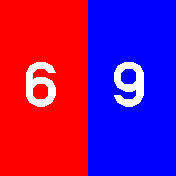
- Colored Background Mode
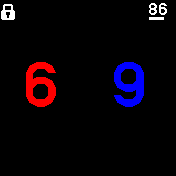
- Colored Text Mode
Howto
- Tap top side or swipe up to increase counter
- Tap bottom side or swipe down to decrease counter
- Hold either side to quickly increase or decrease the counter.
- If the counters are not on their presets, then press the button to reset them
- If the counters are on their presets, then press the button to leave the screen
- Long press the button to leave the screen regardless of the counter values
Configurable Features
- Display both Counters or only Counter 1
- Default value Counter 1
- Default value Counter 2
- Buzz on interact
- Colored Text/Background
Feedback
If something isn't working, please tell me: https://github.com/Stuff-etc/BangleApps/issues