 7a245cc8af
|
||
|---|---|---|
| .. | ||
| ChangeLog | ||
| README.md | ||
| app.js | ||
| boot.js | ||
| icon.js | ||
| icon.png | ||
| metadata.json | ||
| screenshot_v1_d.png | ||
| screenshot_v1_l.png | ||
| screenshot_v2_d.png | ||
| screenshot_v2_l.png | ||
| settings.js | ||


README.md
Gadgetbridge Music Controls
If you have an Android phone with Gadgetbridge, this app allows you to view and control music playback.
| Bangle.js 1 | Bangle.js 2 |
|---|---|
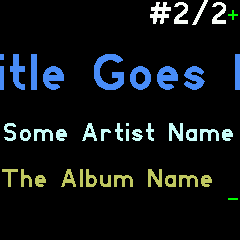 |
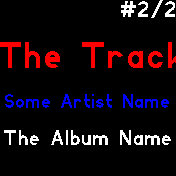 |
 |
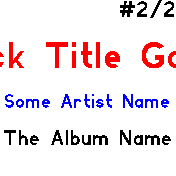 |
Download the latest Gadgetbridge for Android here.
Features
- Dynamic colors based on Track/Artist/Album name
- Scrolling display for long titles
- Automatic start when music plays
Settings
You can change these under Settings->App/Widget Settings->Music Controls.
Auto start: Automatically load the app when you play music and close when the music stops. (If the app opened automatically, it closes after music has been paused for 5 minutes.)
Simple button: Disable double/triple pressing Middle Button: always simply toggle play/pause. (For music players which handle multiple button presses themselves.)
Controls
Buttons
- Button 1 (Bangle.js 1): Volume up
- Middle Button:
- Single press: Toggle play/pause
- Double press: Next song
- Triple press: Previous song
- Long-press: open application launcher
- Button 3 (Bangle.js 1): Volume down
Touch
- Touch: Toggle play/pause
- Swipe left/right: Next/previous song
- Swipe up/down (Bangle.js 2): Volume up/down
Creator
Richard de Boer rigrig+banglejs@tubul.net