 cad2ffe283
|
||
|---|---|---|
| .. | ||
| ChangeLog | ||
| README.md | ||
| app-icon.js | ||
| app.js | ||
| app.png | ||
| awair-monitor-photo.jpg | ||
| awair_to_bangle.html | ||
| metadata.json | ||
| screenshot.png | ||


README.md
Awair Monitor
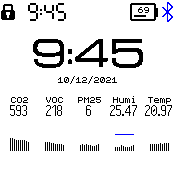
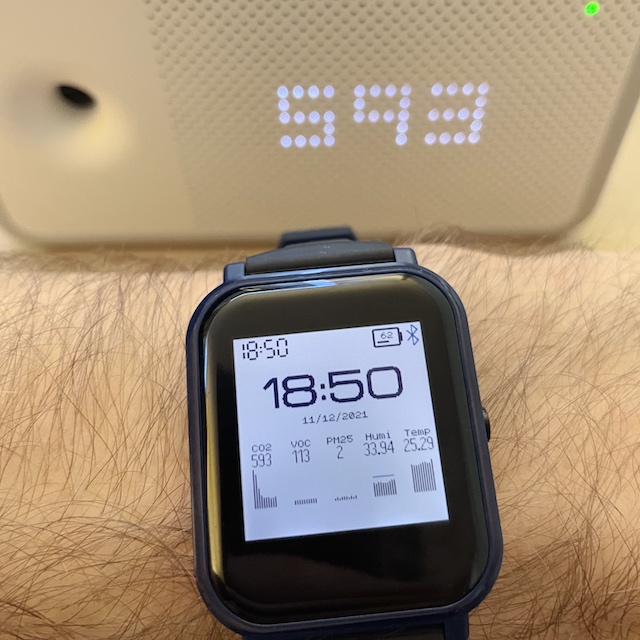
Displays the level of CO2, VOC, PM 2.5, Humidity and Temperature, from your Awair device.
- What you need:
- A BangleJS 2
- An Awair device with local API enabled
- The web app awair_to_bangle.html that will retrieve the data from your Awair device and sent it to your BangleJS 2 through Chrome's Bluetooth LE connection
- How to get started
- Launch the Awair Monitor app on your BangleJS
- Open awair_to_bangle.html on Chrome (desktop or Android), input the IP address of your Awair device, and click "Connect BangleJS" - it connects to your watch the same way as the Bangle app store
- Once connected to the watch with the app running, the watch app is updated once per second
Creator
Contributions are welcome, send me your Pull Requests!